 KeyStyle
Find any style
Type a name once and see every set on your PC that has it, with the bank. SongBook songs are found too.
Pa5X Made for the Korg Pa5X
Hear every style of your set on your PC. Draw drums and bass with the mouse, change sounds and the mixer, and take styles from other sets. Then load it all back on your keyboard.
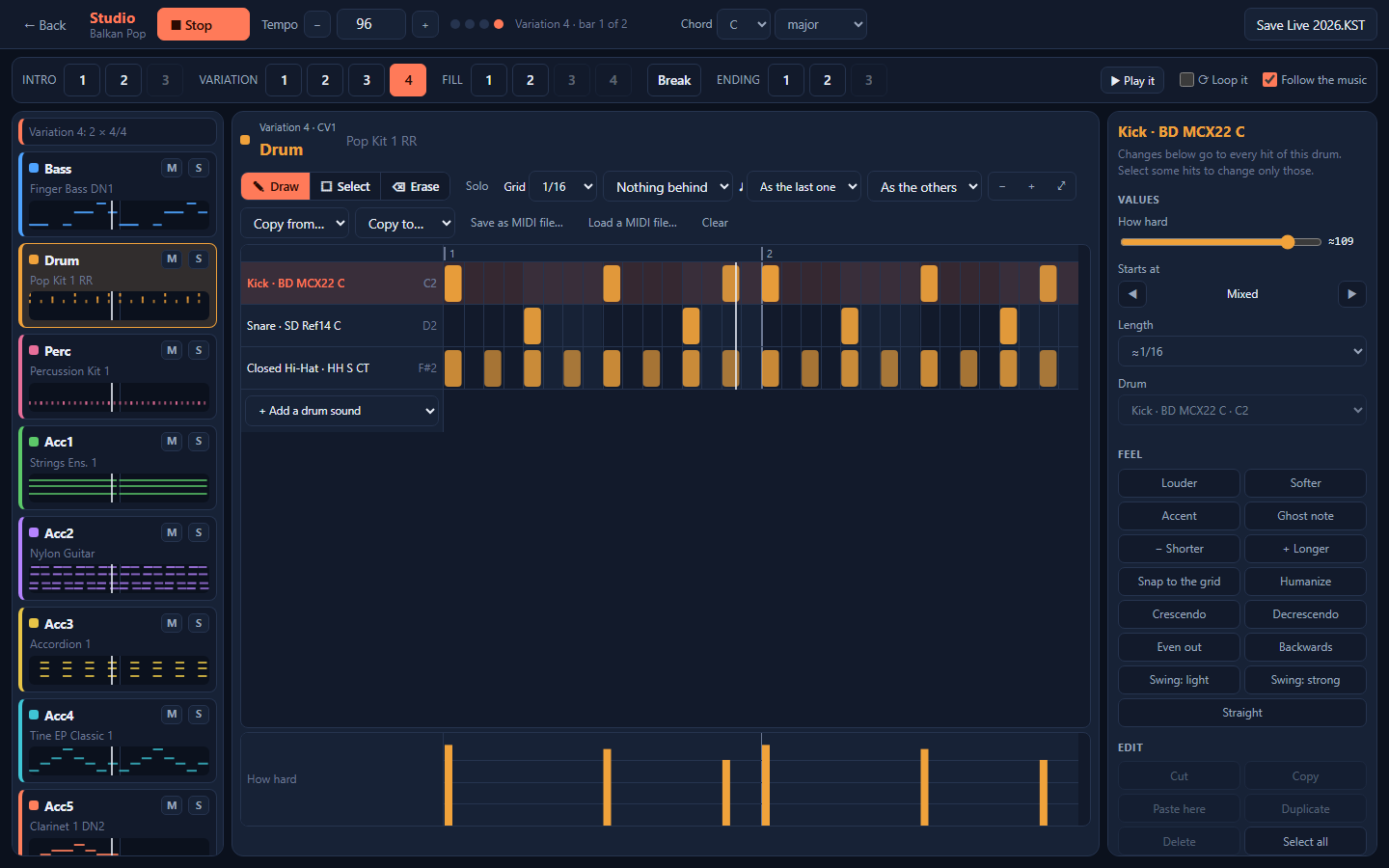
What it does
Open any style in the Studio. Each part is a card: Bass, Drum, Perc, Acc1 to Acc5. Pick one and its notes fill the screen.
In the Studio you do the same on your own styles, with the drums of their own kits.
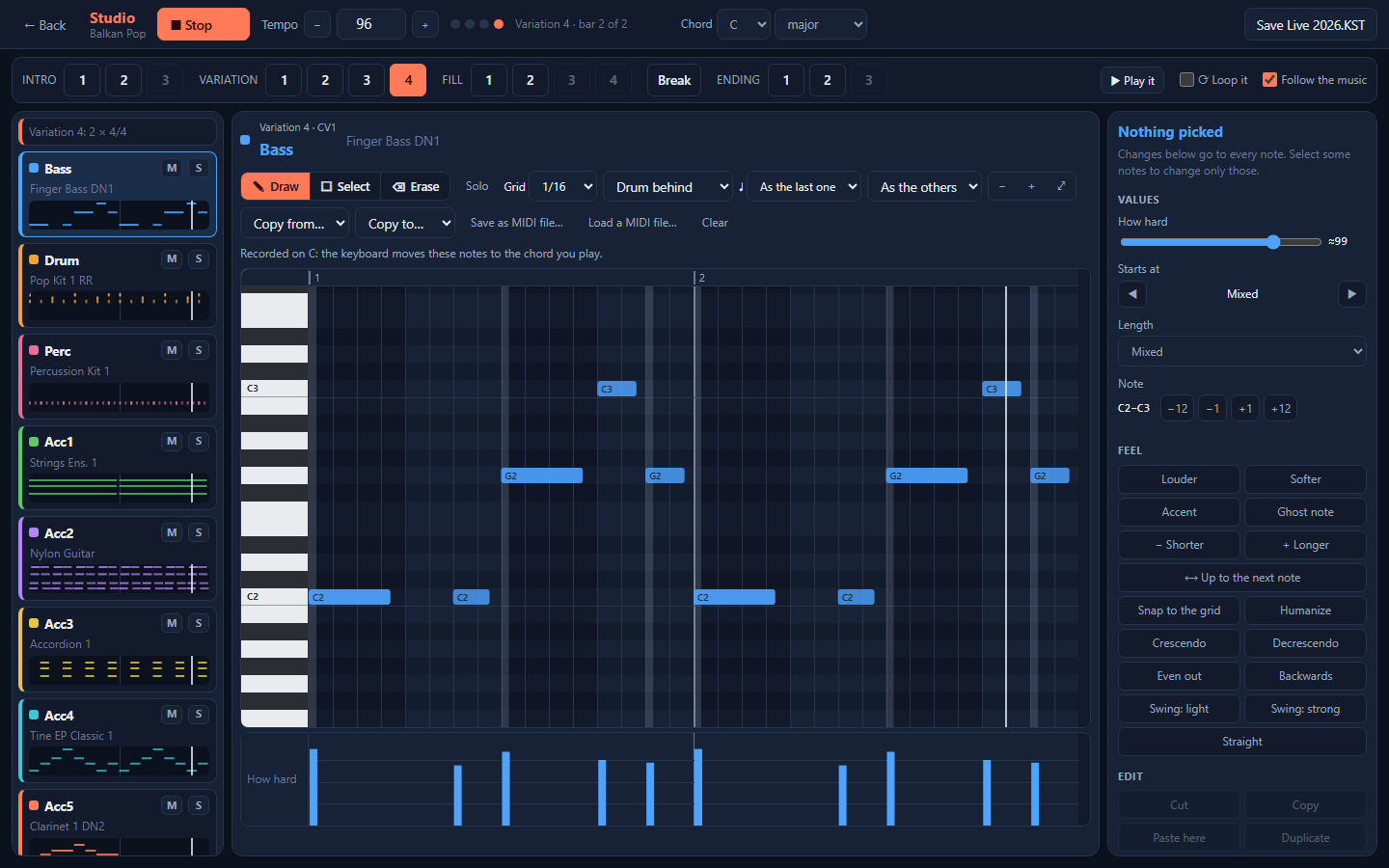
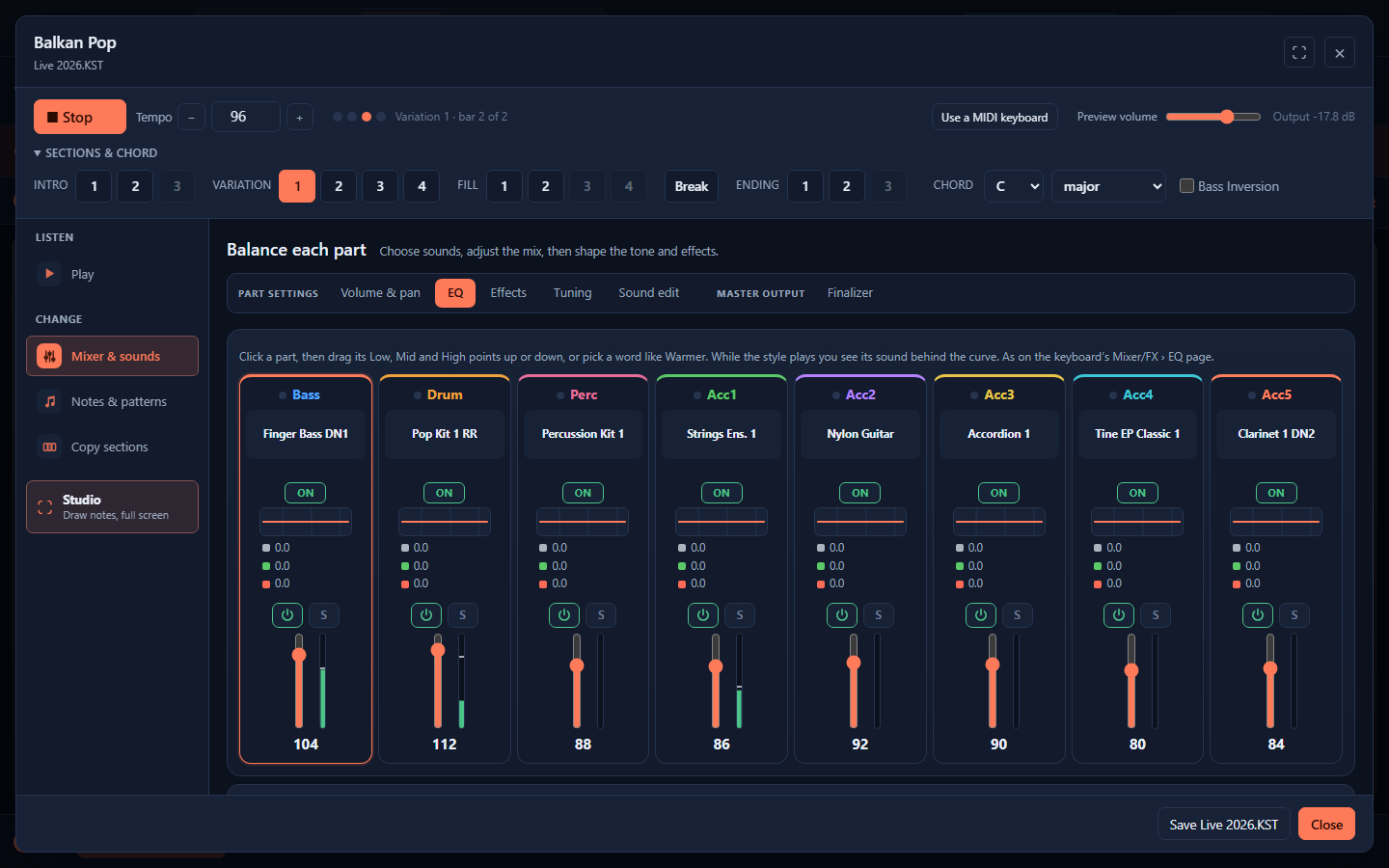
Press Start and play the style on the PC: intros, variations, fills, breaks and endings, on the chords you pick, from the PC keys or a MIDI keyboard. Pads play too.
Your own user sounds and drum kits play their own samples. Korg's built-in sounds aren't inside a set: record them once from your Pa5X and they play as the keyboard plays them. Until then the PC plays a similar sound in their place.
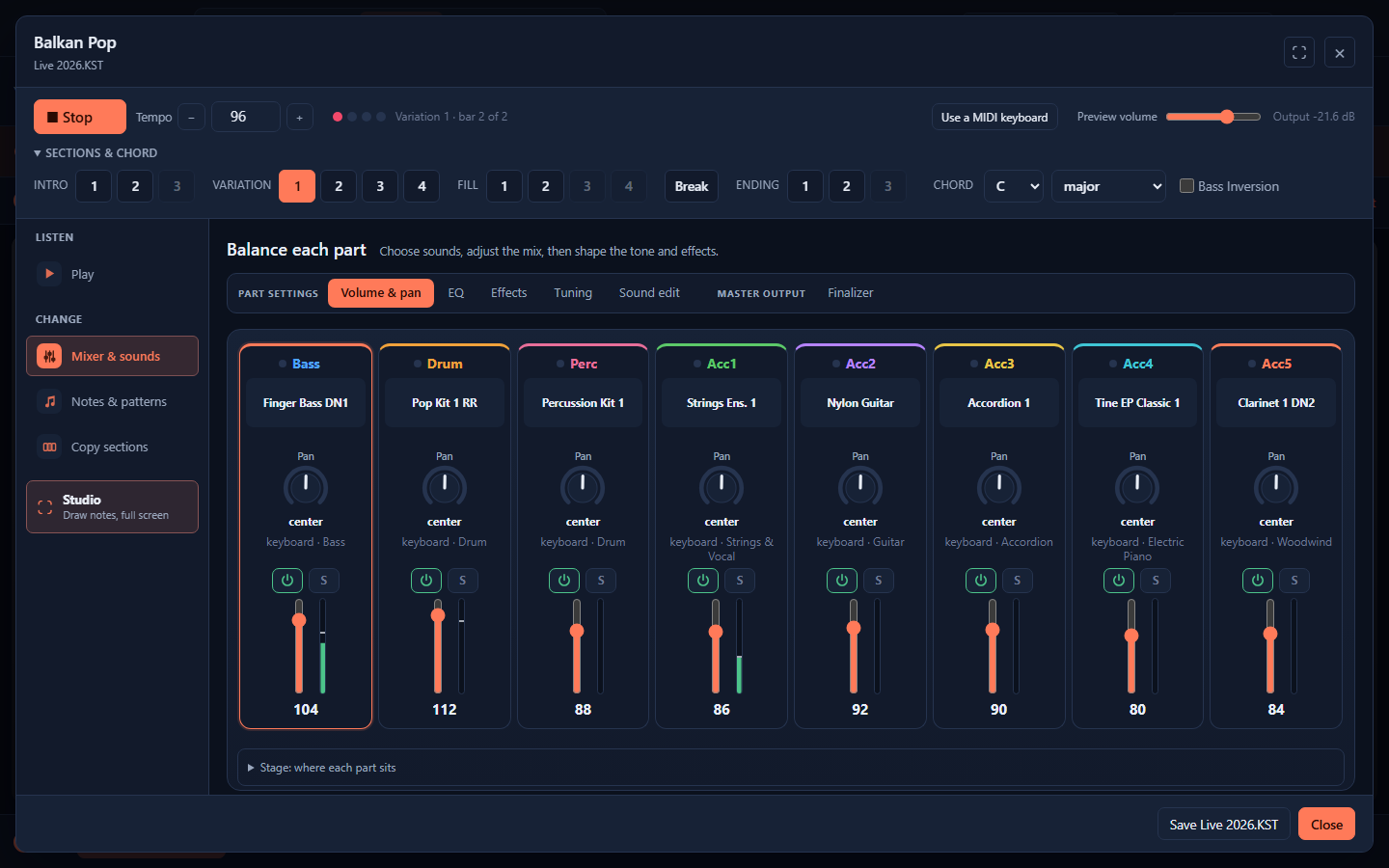
Connect the keyboard with a USB cable and the style plays on the Pa5X itself while you work, with Korg's real sounds. Or record those sounds once from your keyboard, and from then on they play on the PC too.
Once recorded, the style plays them instead of a stand-in.
Changed a style? Hear your version and the one you started with, one after the other, while it plays. The switch comes on the next bar, at each version's own tempo.
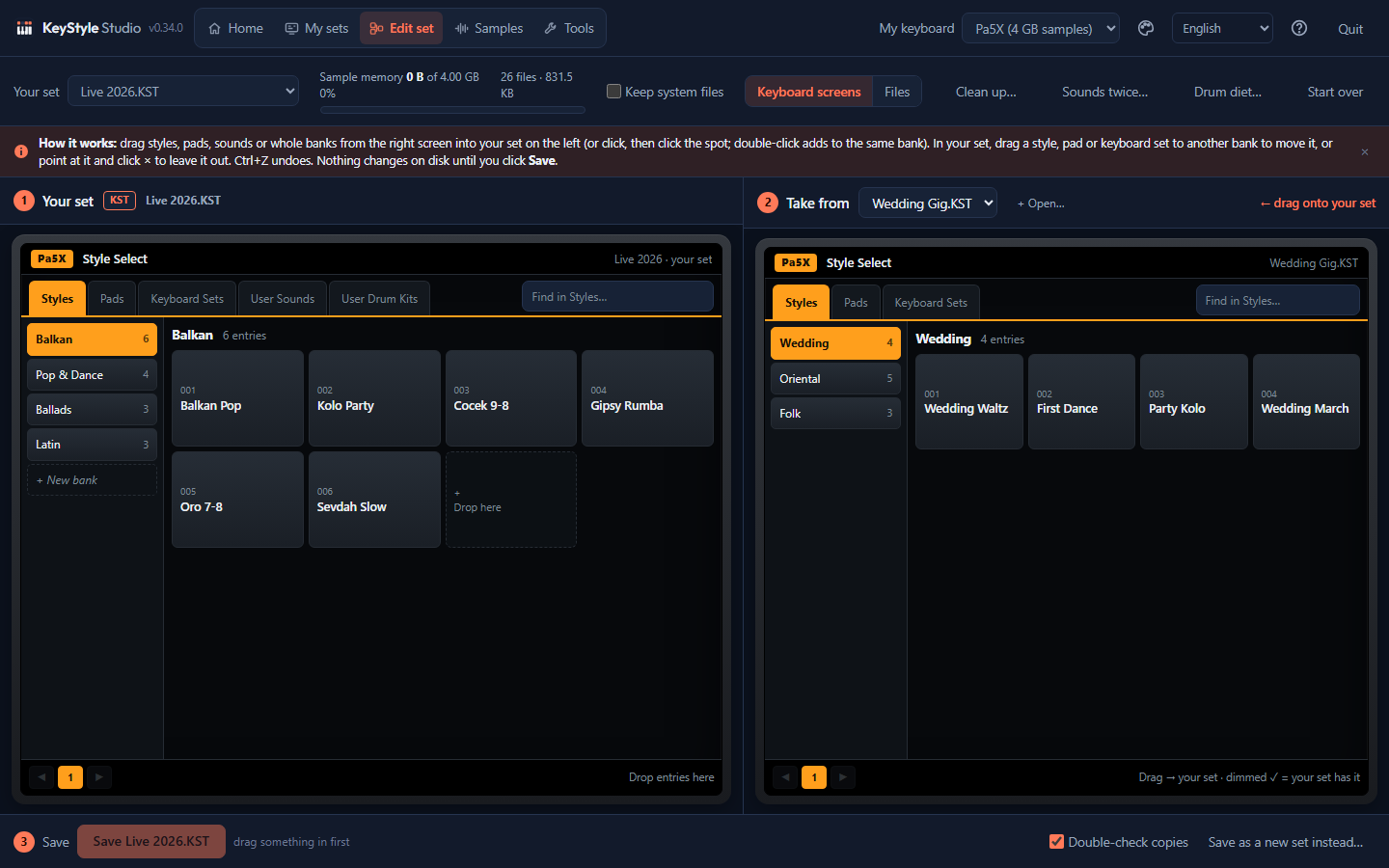
Your set on the left, another Pa5X set on the right, both shown like the keyboard's Style Select screen. Drag styles, pads, keyboard sets, sounds or whole banks across.
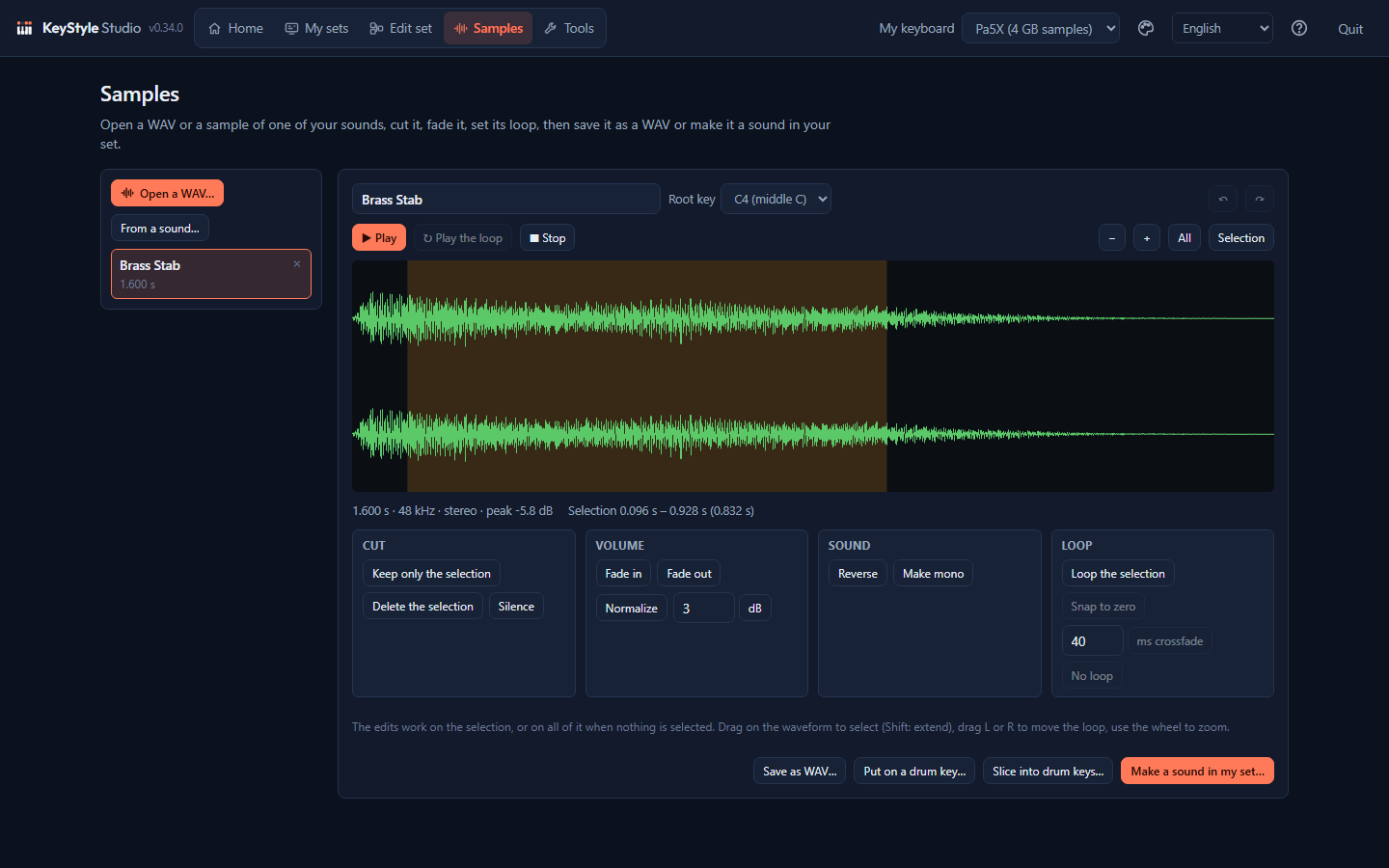
A small sample editor, built for the Pa5X. Open a WAV, MP3, M4A, OGG or FLAC file, or take the sample of one of your sounds.
Type a name once and see every set on your PC that has it, with the bank. SongBook songs are found too.
Finds sounds without their samples, empty files and names the keyboard can't read, and fixes them.
Each drum key of your kits plays at its own level and pan, rolls and chord samples stop when they should, and open and closed hi-hats cut each other.
A clean copy at the top of the stick, where the Pa5X looks for it. Every file checked.
Keyboard sets, pads, quarter-tone scales and MaxxAudio presets: drag them in from other sets.
English, Shqip, Български, Deutsch, Ελληνικά, Español, Italiano, Македонски, Română, Slovenščina, Srpski, Türkçe and العربية.
How it works
Save your set to a USB stick on the Pa5X and plug it into the PC. KeyStyle Studio finds it by itself, or drag the folder that ends in .KST onto the window.
Hear and change styles, or drop a second set beside yours and drag across. Nothing on disk changes yet.
Click Save: your set gets the changes, and the version from before goes into a backups folder. Copy it to the stick and load it on the Pa5X.
Coming next
KeyStyle Studio starts with the Pa5X, as a desktop program for Windows. Next: a Mac version, and the sets of more Korg keyboards.
Want yours first? Write to support@keystyle.studio and tell us which keyboard you play.
Safety and privacy
Price
Card, Apple Pay and Google Pay through [reseller name], who also sends the invoice and charges VAT where the law asks for it. Crypto (Bitcoin, USDT and more) through [crypto processor].
Not happy with it? Ask for your money back within 14 days.
Questions
Every Korg Pa5X: 61, 76 and 88 keys. The Pa4X, the older Pa models and the Kronos are coming next.
No. It works on the set you saved to a USB stick. When you're done, copy the set back to the stick (the app can do that) and load it on the Pa5X as usual: FILE › Drives › Load.
The version from before is kept as a backup next to your set, and you can put it back with one click. A save is built and checked next to your set first; your set only changes once the new version is complete.
Close, not exact. Your own user sounds and drum kits play their own samples. Korg's built-in sounds aren't inside a set: record them once from your keyboard and they play as the Pa5X plays them, or connect the keyboard by USB and hear the style on the Pa5X itself. Filters and effects are close but not the same, so do the final listen on the keyboard.
To hear styles on the keyboard: a USB 2.0 cable, type A to type B (the printer kind), into the USB socket on the back of the Pa5X marked Device. To record the keyboard's sounds with cables, also an audio cable from the Pa5X's headphone or audio outputs to the PC's line input. You can also record without an audio cable, with the Pa5X's own MP3 recorder.
No. One installer puts everything in place, without administrator rights. Remove it any time from Windows Settings › Apps.
No. Styles that Korg locked are shown, but they can't be played on the PC, and KeyStyle Studio doesn't unlock them. The keyboard plays them as usual.
Only to enter your code once. After that KeyStyle Studio works offline, at home and at gigs; when the PC is online it quietly checks the code about once a month, and it keeps working for four months without a check. Your sets never leave your PC.
One code works on one PC at a time. Got a new PC? Click Move to another PC in the old one, then type your code on the new one. If the old PC broke, the app emails you a link that frees your code. You can move it 3 times a year.
Today it needs a Windows 10 or 11 PC or laptop. A Mac version is coming. KeyStyle Studio is a desktop program: editing a set needs a big screen and a mouse, so there is no phone or tablet version.
No. It's an independent program that reads and writes the files your Pa5X saves. Korg doesn't make or support it.
No. The screenshots and the drum grid above show how it works, and if KeyStyle Studio doesn't work for you, you get your money back within 14 days.
Yes: Bitcoin, USDT and other coins through [crypto processor]. Card, Apple Pay and Google Pay go through [reseller name]. Either way, the download link and your code come by email right after paying.
Both come by email right after paying: a download link for Windows and your code. Install KeyStyle Studio, paste the code and click Unlock. Lost the email? Write to us and we'll send it again.